Category: SharePoint Longhorn

  • Hurricane Harvey and the SharePoint Community

    Hurricane Harvey and the SharePoint Community

    We are home safe & sound from our trip to Houston. More than $1500 of donation money, dozens of items from Amazon, plus local drop offs were sent from our amazing friends… mostly from the SharePoint Community. We spent several days making runs to Costco, Home Depot, Walmart, Target, and more. You entrusted us with your donations and we needed to make sure that it went to good use. We asked people in Houston what was needed & bought everything that we could get our hands on that was asked for.

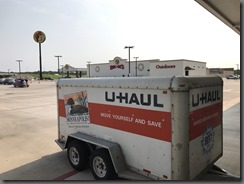
    With the help of local friends we were able to load everything, including furniture for Jill’s folks, onto the trailer I affectionately nicknamed “Rolling Thunder” due to the sounds that we made as we rolled through the neighborhoods.
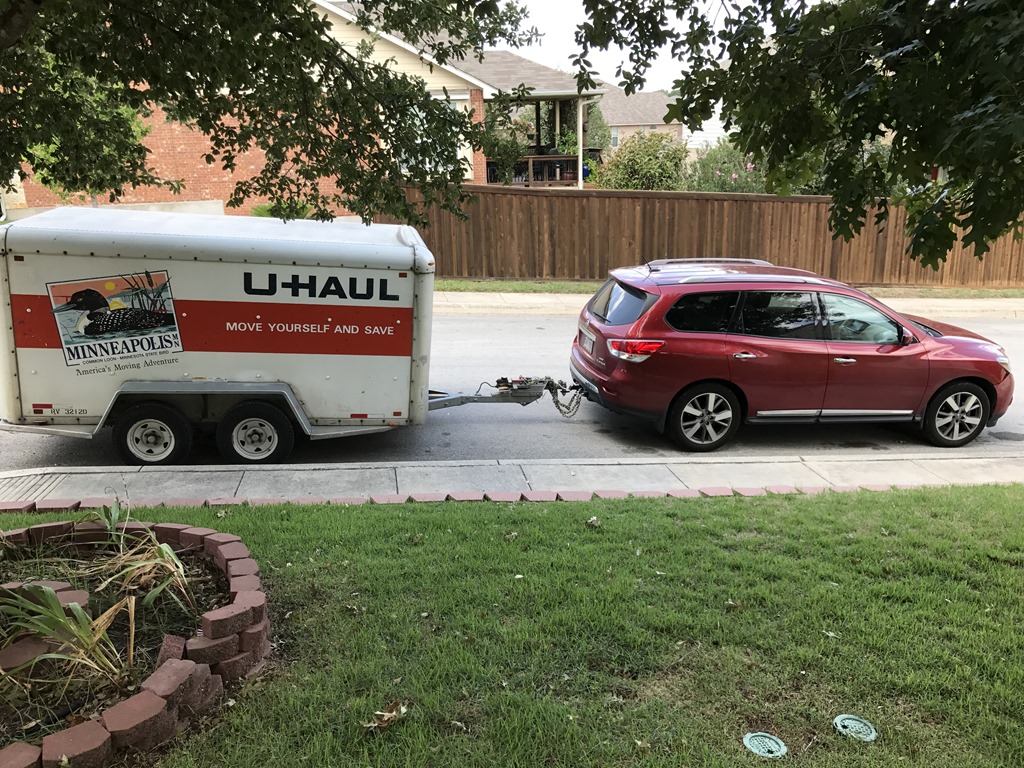
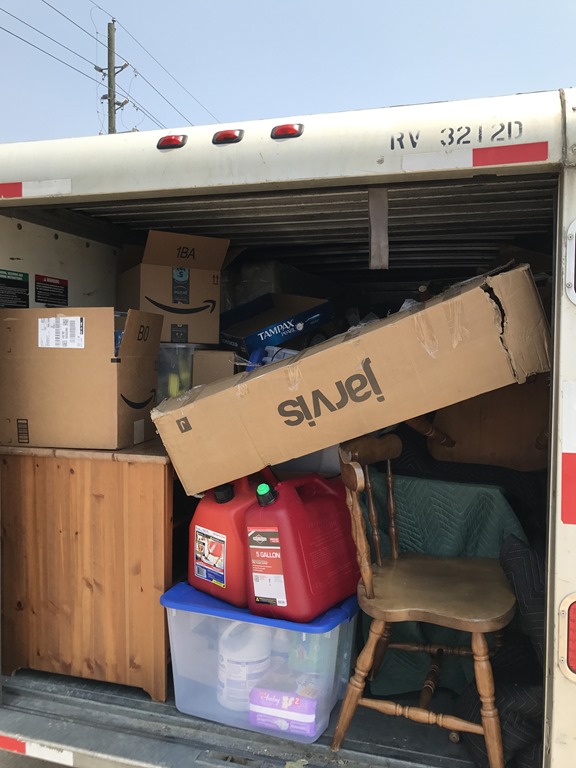
    Rolling Thunder is hitched and ready to roll!All packed up and ready to goThankful for Buc-ees!Military convoy taking aid supplies to people in need

    By the time we got to Houston many of the charity locations had stopped accepting donations because they had to turn their focus to their own operations and trying to recover so that they could get back to providing services desperately needed by the local community now that the imminent danger had passed.

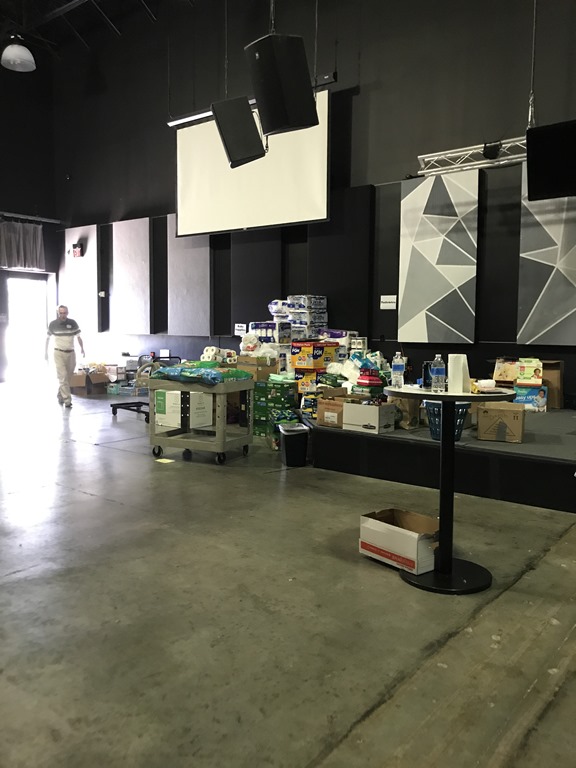
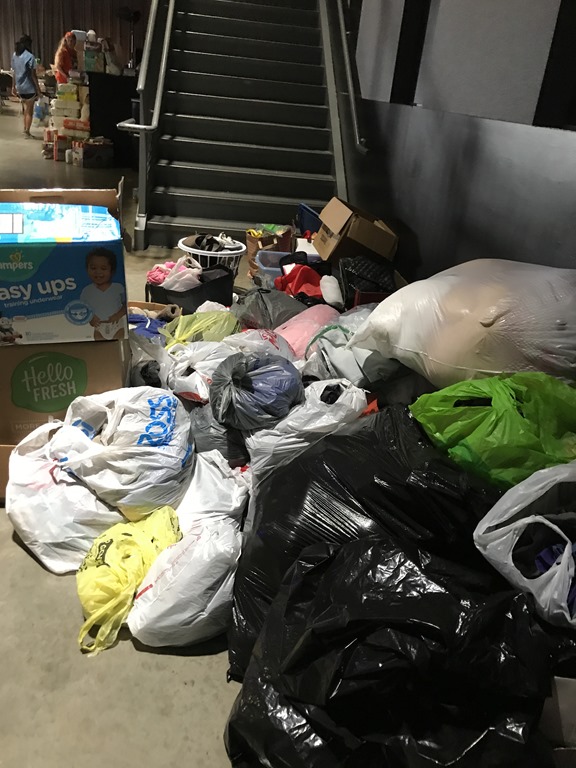
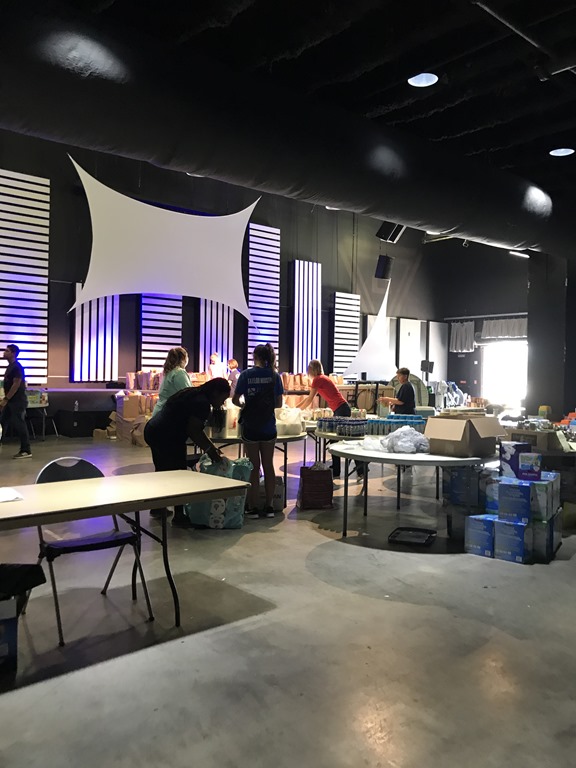
    We found that the Second Baptist Church was still taking donations & so we set out for there. When we arrived the volunteers poured out of the building and helped us unload the truck. They had just decided to stopped operation for the day as they hadn’t had many drop offs that afternoon. We were thanked over and over for all of the donation items as what we brought were things that they had mostly run out of. Their operation is very focused on feeding people, however they are sending crews of people to help people remediate their homes in the local area.
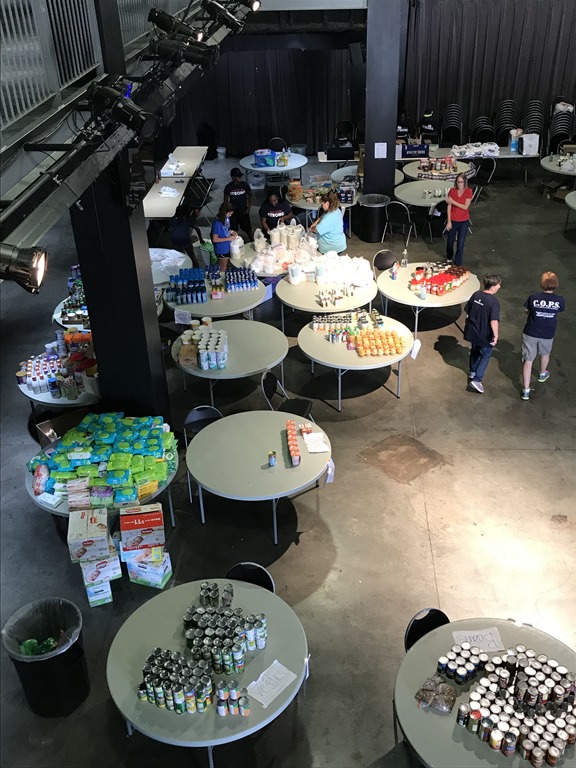
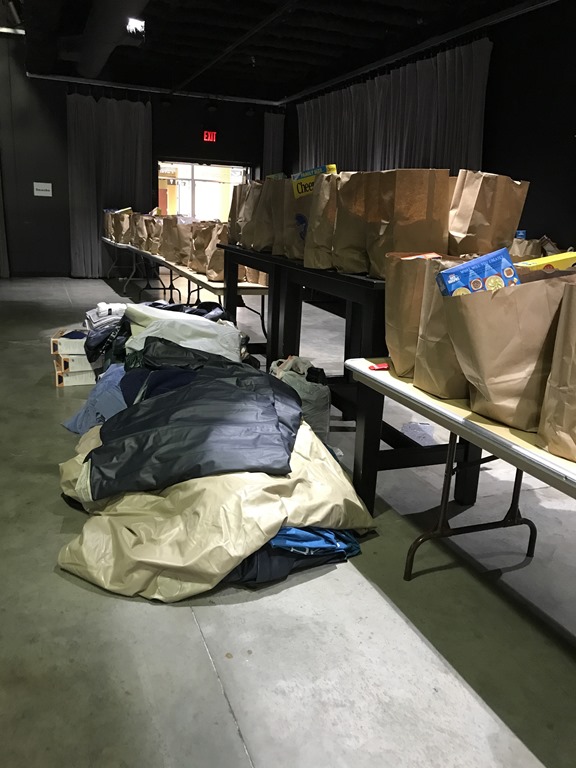
    Staging areaEach bag will feed 2 people for a dayinbound supplies from donations including oursdonated clean clothes for people who lost everythingprepping supplies for those in need

    After we dropped the donation items we went to furnish Jill’s folks apartment. They were some of the lucky few that have been able to find new housing quickly. We were able to bring enough essentials to make the apartment livable for them.

    Unfortunately their home had more than a foot of water and all of their furniture, save a few pieces of antique & precious furniture that were expertly cared for during the storm by Jill’s Dad, were a total loss. Both of their cars were totaled. Jill’s Dad was able to get a crew of people to come in and rip out the drywall, the carpet, and almost everything that could have mold grow on it.

    The neighborhood is in shambles. Basically everything that used to be inside the houses, plus the insulation & drywall, is now on the lawns but the homes look intact from the outside. Kind like a giant yard sale from hell.


    my inlaws neighborhoodmy inlaws neighborhood

    Many of the stores are reopened. We found food, essentials and gas in reasonable supply but places that flooded will likely be closed for months.

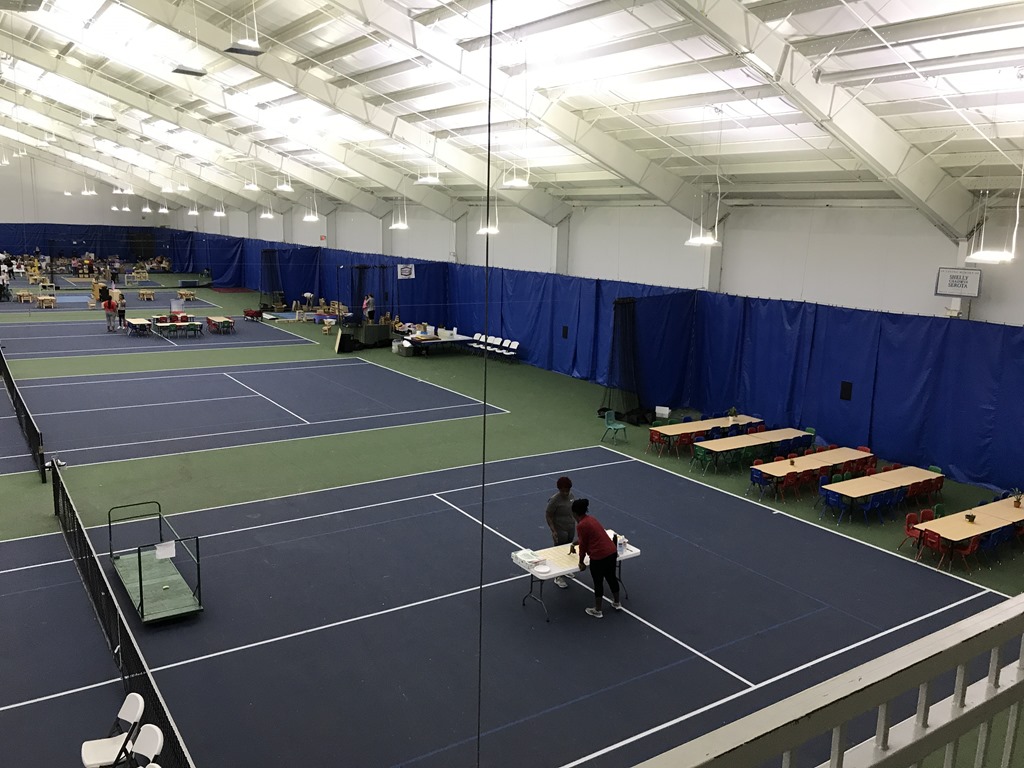
    Unfortunately one of the places that was hard hit in the area is the Evelyn Rubenstein Jewish Community Center of Houston. Their first floor was completely submerged & is now decimated. The first floor of the ERJCC houses their offices, Meals on Wheels, the Senior Center, and other community & education related spaces. All of the office machines were lost in the flooding. Please take a look at our video appeal in which we are asking for help acquiring laptops for the staff. Ultimately insurance will cover things, however in that could take months given the size of the claim & the urgent need for the funds to get essential community services back operation as fast as humanly possible. Here is the video:

    Reach out to Laura directly if you can help: lastrich@erjcchouston.org
    Full links from the video: First walk through video & Second walk through video
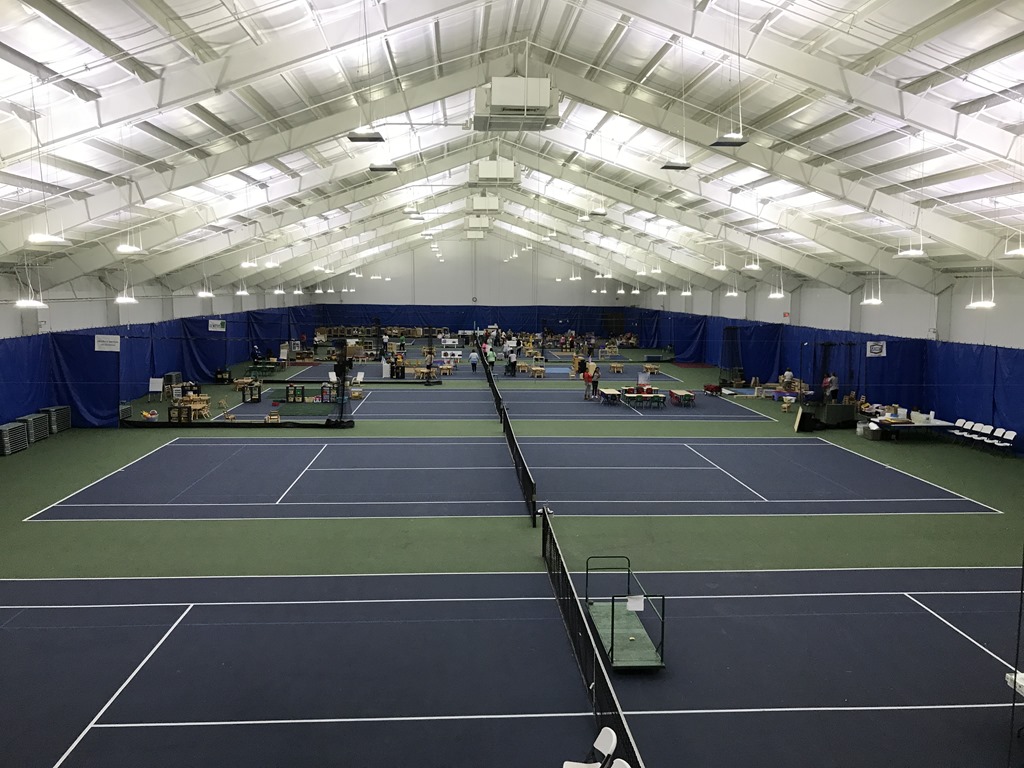
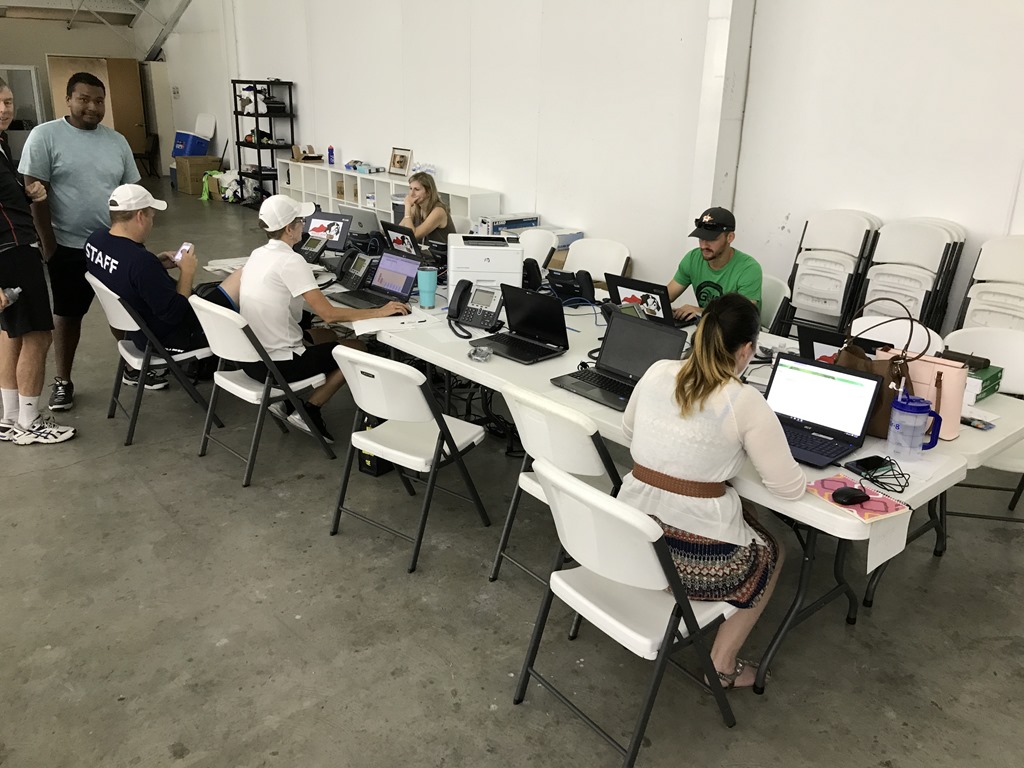
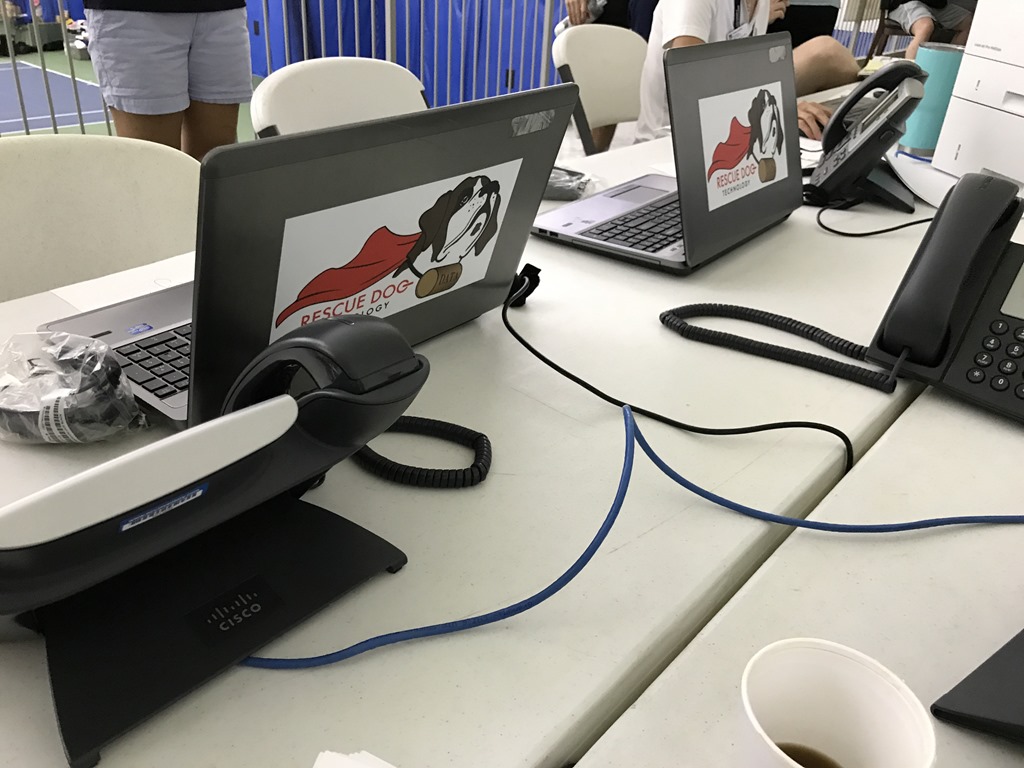
    formerly the tennis center, soon to be the temorary pre-schoolformerly the tennis center, soon to be the temorary pre-schoolERJCC Staffers trying to get back to worklaptops lent from http://www.rdogtech.com/

    Pictures from the ERJCC

    I hope that those who are staring down the barrel of Irma take heed of the lessons learned from Harvey and get prepared or get out of harms way. My Grandparents, who live in West Palm Beach, were relocated this week to Memphis.

    As I told my boys this week about all of this: We cannot control Mother Nature, but we can be smart & prepared. Stuff can be replaced, lives cannot. We don’t take chances with our lives.

    Thanks to everyone for their donations, help loading, unloading, advice, texts, calls, Facebook messages, and concern. The SharePoint Community never ceases to amaze me. I am so lucky to be a part of this wonderful group of people who are passionate about not just technology, but who are truly committed to helping their fellow humans. I have to give a special thanks to my parents for helping us with the boys so that we could make the trip happen.

    The rebuilding of Houston is going to be a long and terrible process for those who have to live through it. Let’s not just give now and forget. Round back in a few weeks and reach out to those that you know who were impacted. The shock will wear off and eventually depression will take root. Let’s not let allow Harvey to take the strong out of #HoustonStrong.

  • A new chapter: You can go home again

    8 years ago Jill and I moved from Austin, TX to New England as newlyweds to start our new life together. I had just accepted a new job with Raytheon to work on a technology that was completely foreign to me. I had spent the previous 10 years of my career focused on relatively known commodities, but when I jumped into SharePoint it was a total unknown to me. Little did we know then the amazing road that was ahead of us. Every year has been another milestone:

    2007: married & moved to Massachusetts
    2008: Max was born
    2009: bought our home and moved to New Hampshire
    2010: Sam was born
    2011: Left Raytheon for Sentri
    2012: Sentri acquired KMA
    2013: Polycom acquired Sentri and I left Polycom for Atrion
    2014: Awarded SharePoint MVP
    2015: …

    heading to Texas

    This week I accepted an offer to be the Office 365 Advisory Services Manager for Rackspace , a position that is moving us back home to Texas. I am thrilled to take on a new challenge that is focused completely on Office 365 and couldn’t be happier to be joining the amazing team at Rackspace and get to partner with the ever amazing Jennifer Mason Roth on our Office 365 offering.

    For our family this change is semi-sweet as we truly love our life in New Hampshire, our friends, and the family that we have built over the past 8 years. We have built & strengthened bonds here that will last our lifetime and we will be back regularly to visit. I cannot imagine a morning during baseball season that Sam won’t be waking up and asking “Did the Red Sox win last night?” before he even says good morning to us. He has told me that he is excited that we are moving to where the Texas Longhorns play though. Max is excited to learn to play “Deep in the Heart of Texas” now in addition to “Yankee Doodle”.

    I will miss the amazing people that I have been lucky enough to work with for the past 2 years at Atrion . The team there continues to be strong & growing. I know that they are going to keep doing amazing things for our customers. The opportunities that I have had during my time at Atrion have allowed me to grow both personally & professionally. I look forward to continuing the relationships that I have developed over the past 2 years.

    I will also miss the New England family of SharePoint communities that have embraced me so thoroughly over these past 5 years. I am excited that part of my world at Rackspace includes getting to continue my dedication to the community and I will be back for SPSBoston, helping to run the 5th annual SPSNH, and speaking at SPTechCon during the rest of the year and hopefully for many years to come.

    The next few months are going to be crazy as I dive head first into my new world at Rackspace and we relocate the family to Texas. I will be at Ignite working the Office 365 Developer booth for Microsoft during my first official week at Rackspace. Be sure to stop by and visit me to hear about all of the great stuff that Microsoft is doing to enable Devs in the Office 365 world.

  • Planning a SharePoint Saturday: A recap of #SPSNH

    We are now almost a month removed from SPSNH and it has been just enough time for the glow to start to fade and for life to start getting back to normal.  The event was wildly successful and somehow managed to receive nothing but positive reviews.  There were a few things that I noted that are worth mentioning:

    1.) Drop off between registration and attendance was between 30-40%. 

    2.) Doing 6 keynotes instead of 1 made the day interesting, but did not draw people in for the early sessions the way that a big name keynote might have.

    3.) Planning 3 tracks (ITPro, Dev, End User) at 2 different skill levels (Beginner & Advanced) and keeping the tracks consistent in the same room so that people weren’t hunting for their next session was a BIG hit.

    4.) Todd Klindt is a freaking rock star.  This isn’t something that we learned, but it was certainly reinforced.  The dude stepped up to deliver a session he had never seen until 5 minutes before when someone called in sick for the first timeslot & then presented to a standing room only group later in the day.  Todd’s heroic efforts win the booby prize with Chris McNulty coming in a close second for taking on an extra session with only a day’s notice.  The edge went to Todd because he had less prep time. 

    5.) Bags and paper collateral are passé.  Give people a jump drive with digital collateral.

    6.) Varying things up between 2010 & 2013 was very positive.  The people who came to hear about 2013 wanted some 2010 as well & the folks who wanted to hear about 2010 were interested in some about 2013 too.

    7.) Hot coffee available all day is a MUST.

    8.) Speaker gifts instead of speaker shirts.  We gave a nice warm jacket with the SPSNH & NHSPUG logos on them and I am still getting twitter comments about how much the speakers enjoy them.  Plus, SPSRED “borrowed” our idea and their speakers loved them too smile

    All in all, I am happy to say that SPSNH was a great success and we are looking forward to doing it again next year.  There are things that we will look to do differently, but with a second SPSNH under our belt I think that we have a pretty good thing going up here in the “Live Free or Die” state.

    My presentation from SPSNH can be found here. The slides that Todd presented on 5 minutes notice can be found here. (I had done a webinar the week before, so this was my deck from that)

    My pictures from the weekend can be found here on my SkyDrive.

    spflogging_32

  • Hooray, it’s a book!: “Developing Business Intelligence Apps for SharePoint”

    book

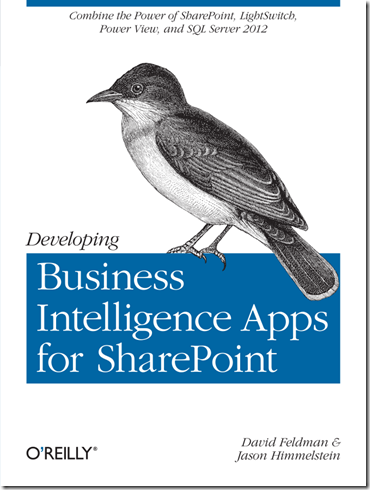
    Over the past year I have been spending my night’s & weekends working on a book with my co-author, Dave Feldman, and I am proud to say that we have completed our draft of “Developing Business Intelligence Apps for SharePoint”

    Through the book you will learn to create dynamic Business Intelligence solutions for SharePoint, using Microsoft Visual Studio LightSwitch, SQL Server 2012, and other tools and technologies. This hands-on book shows you how to create data-rich BI applications with SharePoint faster and with more capabilities than previously possible. You’ll learn the entire process, from high-level concepts, to low-code development and deployment, to setup and configuration.

    • Quickly build a robust schema and applications with Visual Studio LightSwitch
    • Leverage PowerPivot v2 to build a business intelligence semantic model
    • Create reports with Excel Services, Report Builder, and Power View

    The happy thing about our book is that we saw the CSOM model of SharePoint 2013 coming down the road and architected our solutions in the book so that they are relevant to both the 2010 & 2013 platforms (and hopefully many versions of SharePoint to come).

    The book is available for pre-order on Amazon now and will be available via O’Reilly Early Release.   Dave & I will be at the SharePoint Conference in Las Vegas where O’Reilly will have a form of the book available (not quite sure if it will be a few chapters or what at that point, but there will be something!). 

    I will say that Dave & I were warned by Andrew Connell & Scot Hillier when we started talking about writing this book that taking on a book project is much like having a child.  9+ months of long uncomfortable sleepless nights to give birth to something that you hope goes on to do good things in this world (I am paraphrasing a bit here… basically they both said it was going to suck something awful, but we would be happy when it was all over).  Well gents, you were right on all counts.  The fun part is that while I have 2 kids and sort of had an idea of what something like that was going to be like, Dave’s wife is pregnant with their first child and is due this SUNDAY.  Needless to say, we are glad to be done before Baby “Cookie Monster” Feldman arrives. smile

  • Holy time gap in posting!

    It has been almost 6 weeks since my last post and it is time to bring to light what has been going on in my world during that time. 

    While I am not someone who discusses my employer regularly on my blog, I joined Sentri 6 months ago and couldn’t be happier.  Especially in light of recent developments.  Some of you may have noticed the press release, twitter storms, webcasts, etc about Sentri’s acquisition of the KMA SharePoint Practice.  Over night my small practice grew to more than 4 times its size and was endowed with even more dynamic, and highly talented people. 

    Anyone who has ever lived through the M&A process can tell you that it is a nail biting & hair raising process as you never know if things are going to move forward or if Murphy is going to stick his head up and yell “GOTCHA!”

    In the weeks since my last posting life has been extremely interesting and exciting preparing for and then finally working through the details of integrating two different SharePoint Practices into one.

    Needless to say since I am writing this post, we are in the lucky 17% that went into the M&A process and came out the other side smiling.  I am sincerely thrilled to be working closely with Mike Gilronan (check out his take on this here), Derek Cash-Peterson, and the entire Sentri SharePoint team.

    As for my commitment to the SharePoint community, it remains as strong as ever.  I have added a Speaking Engagements section to my blog so that you can find out where and when I will be speaking next.  This week I will be speaking at the NYC SPUG on Wednesday March 7th, 2012 at 6pm.

    And now back to posting content…. smile

  • When was the last time I deployed that SharePoint solution?

    Ever have trouble remembering when you last deployed a specific solution?  Now, none of us would ever allow an environment to be uncontrolled and let people willy-nilly install solutions, but in the real world sometimes things slip through our well controlled documentation and we need a hand.

    For those of us with more than 5 farm solutions hunting and pecking for the last installed date can be problematic.  One of my colleagues (at this point I am forgetting who, so if it was you take a bow) helped me write a script to grab the information from SharePoint.

    Here is the script:

    a

    This will output the information to a text file on your C: called solutionlog.txt.  Remove the “ >> c:solutionlog.txt “ and it will display onscreen like this:

    b

    If you are in an environment that has continuous integration coming out of TFS or another like service, you can schedule this and have it email you the output on a regular basis. 


    spflogging

  • Breaking the silence–a personal note

    Some people have noticed the unusual lull in my posting.  Others are probably wondering why in the world they are still reading after the title doesn’t have anything to do with SharePoint.

    The out of the norm silence is due to several things happening in my personal world, which I normally try to keep out of my blogging, but since this has a direct correlation to my SharePoint community involvement I have decided to share it here.

    Since my vacation at the beginning of July I started to recognize that my involvement in the community and my desire to be more involved in SharePoint not just inside of my employer were not well aligned with my current career path.  My employer, while supportive, was not overly interested in my SharePoint community involvement and combined with other internal factors I realized that it was time for me to consider my career options.

    Like anyone who is considering a major life change I turned to my friends and family for advice, but I also reached out to my friends and trusted advisors in the SharePoint community and the response was overwhelming.  The support and advice that I received from colleagues around the community was amazing.  I am hard pressed to think of another group of professionals that are as impressively supportive and helpful of people (that they may have never actually met in person) as the SharePoint community.

    With the decision made that it was time for a change, I returned home to find a new SharePoint Users Group was starting in my area and I immediately dove in.  Now one of the organizers for the group we have made strategic moves to improve the community interaction here in New Hampshire, such as moving the meeting date and time out of conflict with our sister User Group down in Boston and getting some top quality talent to come and speak to our members.  We have also gotten sponsors for raffles, giveaways, and a new SharePoint Foundation 2010 site hosted by FPWeb.net that will come online later this month.  For more information about NHSPUG visit our site at http://www.granitestatesharepoint.org/

    I also got involved with SharePoint Saturday New Hampshire, which is this coming Saturday, September 24th in Manchester, NH at the Southern New Hampshire University Campus. You can still register for SharePoint Saturday New Hampshire by visiting our site at http://www.sharepointsaturday.org/nh/default.aspx

    All of that made me feel great and really reconnected me with the community, but I still had to figure out what I really wanted to do from a career perspective.  That’s where LinkedIn came in.  I have always seemed to get between 5-12 linked in requests per week from recruiters and always ignored them.  I decided that it was time to hear what some of them had to say.  So I responded to 5 of them.  Almost instantly I got a call from a woman named Debbie Strevens from Workbridge Associates who claimed to have connections to every person in a power position in the Greater New England area and would find me the exact right for for me.  I chuckled a little bit internally after the call thinking, “Wow, she has some pitch but there is no way she can be for real.”  Turns out, she was. 

    A few months prior I had gotten some great advice from Christian Buckley of Axceler, whom I have come to respect and value as a friend and community contributor (and hopefully soon to be SharePoint MVP), which was “Sit down and write my own job description.  Before you look for a new career opportunity, know what you want.”

    I gave my job description to Debbie and in just under two weeks I had numerous competitive offers.  After much soul searching and long discussions with my wife I accepted an offer from Sentri, Inc. to be their new SharePoint Practice Director.

    While it was hard leaving what I had put my blood, sweat and tears into at my previous employer, I have been warmly embraced by Sentri and am truly excited to be working with a dynamic organization that is whole heartedly committed to Microsoft technology.  Sentri’s president, Philip Green, is famous for saying “At Sentri we put all our eggs in one basket, Microsoft Software.  Fortunately, this is one very, very safe basket.  We are Microsoft Technology Experts.”  It’s a pretty compelling statement to someone who has dedicated their career to Microsoft Technologies.

    Sentri has embraced and is fostering my commitment to the SharePoint community, encouraging my blogging (which will be cross posted on the Sentri site soon), speaking, and activities with the User Groups and SharePoint Saturdays.

    I am excited to be on a new career path that will allow and encourage me to follow my passion.  Expect more regular & diverse content in the weeks and months to come.

  • SPFLogger–A whole new way to look at SharePoint 2010 Logs

    One of the most amazing, and little talked about, features of SharePoint 2010 is its new logging database and the power that comes along with it.  About 4 months ago I noticed a gap in the market and started talking to 2 friends of mine, David Feldman and Cornelius J. van Dyk, making the statement “I think that this would make for a really neat winforms app.”  After some brain storming we decided to take the idea a different direction and use Silverlight 4 RIA Services.

    The tool in its initial beta offering is fairly simple, yet elegant.  It gives the user a very concise view of their NTEvent Logs, ULS Logs, and Timer Job Logs.  Rather than having to write T-SQL against the Logging Database’s views, we provide an easy to use Silverlight interface to quickly and easily view the log entries, complete with filtering and some basic analytics for NTEvent Logs and Timer Job Logs.

    This was my first foray into development and coding, as almost all of my career in technology has been spent on the ServerOperationsArchitecture site of the world, and this was an eye opening and career life changing experience.  I got to work with 2 of my very good friends on a project that I am very passionate about, and I have been overly supported by my amazing, wonderful, beautiful, and ever patience wife, Jill, and my 2 amazing boys, Max & Sam, as I have dedicated my every waking free moment to this project.

    Tonight, after 4 long months, I clicked the button to release SPFLogger to the CodePlex community.  Please go check it out and give us feedback so that we can continue to grow and evolve this into something great.  It is currently licensed under a dual license which allows for personal use under GPL version 2.0 and a custom license for commercial and closed source applications.  Basically we wanted to keep people from using our code to make money without giving some to us, but we want people to be able to use it!

    The link is http://spflogger.codeplex.com.  We really hope that you love this tool as much as we do.

    spflogger

  • Developer Dashboard activation and parameters… up to the elbow…

    Activating through PowerShell

    In doing some research I have had some difficultly finding a single good resource for how to turn on the Developer Dashboard using PowerShell and what the parameters are for doing so.  Here is what several hours or pouring through numerous resources has turned up, and I am sure it is not 100% complete:

    Code to turn on the Developer Dashboard

    image

    This will turn on the icon at the top right hand corner of your masterpage for anyone with Designer or higher rights. 

    devdashboard_icon

    Optional Parameters

    Who can see it?

    image

    Some Mask Settings

    EmptyMask = allows everyone to see the developer dashboard
    FullMask = requires full control policy or site owner permissions to see the developer dashboard
    AddAndCustomizePages = default mask setting

    There are many more options for Mask Settings which can be found by reviewing the SPBasePermissions list on MSDN.

    Options:

    1.) Allow everyone to see the Developer Dashboard
        a.) set EmptyMask and remove icon from Masterpage
        b.) append ‘?Developer Dashboard=true‘ to the end of any page you want to see the developer dashboard on
    2.) Allow only people with Full Control (policy holders or site owners) to see the Developer Dashboard
        a.) set FullMask
        b.) give the supporting team a full control policy or grant one-off permissions
    3.) Leave this setting alone and anyone with Designer or higher rights will see the icon

    Is there any more data I can get than this?

    image
     

    TraceEnabled gives the additional section at the bottom of the developer dashboard which gives you:
        1.) Request Details
        2.) Trace Information
        3.) Control Tree
        4.) Session State
        5.) Application State
        6.) Request Cookies Collection
        7.) Response Cookies Collection
        8.) Headers Collection
        9.) Response Headers Collection
        10.) Form Collection
        11.) Query String Variables
        12.) Server Variables

    There is a TON of data here that you might not see otherwise, and you only see it if you expand the section at the bottom called:

    trace info

    If you aren’t interested in seeing any of this data or allowing your users to see any of this data, just do not execute this option as the default is set to false.

    If you are still stuck in 2007 mindset

    Here is the corresponding STSADM Command:

    image

    A Quick Note from the Author

    All of the above examples have used OnDemand as I believe that is best option, however you can replace OnDemand with Off or On as you see fit, this is just how I am writing it.

    Grab a copy of the PowerShell code referenced about from my SkyDrive here.

  • Now powered by SharePoint Foundation 2010

    Since my world is already mostly SharePoint 2010, I figured it was time to move my blog from Blogger, which has been a great starter experience, to something I am more familiar with, SharePoint Foundation 2010.  I am blessed with many friends who had offered me space on their servers rather than needing to stand up another on at my house to worry about, and I finally took one of them up on the offer.

    In the coming days you can expect some new content, but for tonight I am just excited to put the finishing touches on my conversion from Blogger to SharePoint.