Category: General

  • Thinking about ergonomics & overall wellness – Part 3

    Thinking about ergonomics & overall wellness – Part 3

    In part 2 of this series I talked about making work & life balance which I think is a good lead in to this topic of ergonomics & wellness. This has been a concern of mine for many years because I started having pains that were eventually linked to repetitive stress. Since I am not going to stop spending 12 to 20 hours a day in front of a screen I needed to figure out some ways to manage my self better.

    I mentioned some of the gear that I use in part 2, specifically the Logitech Ergo K860 keyboard and MX Master 3 mouse which are both ergonomic, but I did not talk much about the rest of my ergonomic setup. Let’s dive into some of those details now.

    Desk stuff

    For years I used a glass top, L-shaped desk which served me well but was not very ergo friendly. I retired it 3 years ago but kept it as a storage table for my home servers until COVID turned my house into the Himmelstein Academy of Home Based Academia and my older Dude claimed it for his bedroom based classroom.

    When I retired that desk I searched far and wide for the work space I wanted. I had long envisioned myself sitting behind a beautiful desk of rich mahogany surrounded by many leather bound books… wait that was a butchered line from Anchorman… in all reality I had no idea what I wanted but I figured I would know it when I saw it. I had a few criteria:

    • sturdy & would last a long time
    • no drawers to hide clutter in
    • no keyboard tray under the desk
    • ability to use as a standing desk
    • no reflective surface

    I ended up getting a Jarvis standing desk from Fully. I chose the 78 x 30″ Bamboo desk and it has been serving me very well. I opted against the swooped curve at the front and take full advantage of the surface.

    Standing at my desk vs sitting

    I get antsy if I sit for too long. The idea of a standing desk was very appealing to me, but everyone around me told me that it was a fad thing and that I would not use it nearly as much as I thought I would. Cut to 3 years later when I stand at my desk numerous times a day and I am thrilled with my decision.

    I find that I sit when I am doing highly focused activities such as writing, creating, learning, or coding. The times that I consistently stand are for meetings where I am going to be leading discussions, 1-on-1s with team members, and when I am trying to get something done in a shorter period of time than I think it will take. I flex between sitting and standing during longer meetings or when my Apple Watch buzzes to tell me to get up off my ass because I have been sitting for too long.

    It is important to think when you want to be standing vs sitting so that you drive yourself to those behaviors. At the beginning it is not a natural shift so you have to be mindful about the action. These days I do it and don’t really notice that I am doing it. My team members used to comment when I would shift in the middle of a meeting but after a while they got used to it and it is just a normal thing now.

    Helping with my standing

    When I bought my desk I opted to purchase a standing mat at the same time. I did my research and was pleasantly surprised to find that my desk vendor also sold the Topo Comfort Mat by Ergodriven which was my top choice. This mat has different terrains that I use on a daily basis to stretch my legs & feet on.

    I can say that half of the reason I switch to standing mode is to help stretch my legs & back. I struggle with back pain & as a runner my legs are always problematic. Getting up and using my Topo mat is something I look forward to because it helps relieve pain & get some of the lactic acid out of my muscles.

    Add to all of this that with the wireless headset that I use I find that I can easily pace around my office to keep myself stimulated without needing to go back to the kitchen for an afternoon coffee.

    The Chair

    DISCLAIMER: I am super fortunate to have a wonderfully supportive & patient wife, Jilly, who puts up with my need to over engineer my world which inevitably means I spend way too much on gear. She is amazing and I appreciate her more than I can ever say.

    I burn through home office desk chairs. The longest I have ever had a home office desk chair is about 2 years. Keep in mind for the past 5 years I was on the road roughly half the time and working from home half the time. This does not say good things about the chairs that I have owned.

    Yes, I am a big guy. I stand 6’2″ and weigh between 250 & 270 depending upon the quantity of candy & carbs in the house during any given season. Luckily I have stayed on the lower end for the past 2 years thanks to being more active, but that is another blog post. I put stress on seating and I like comfy chairs. My one big requirement over the years is has been the ability to recline and set the angle of the recline at any point.

    My last chair finally became no longer viable for me because Nate the Cat had ruined the seat with his claws. Just a side note, it is now his chair in my office as I don’t have the heart to take it away from him since he is getting older and less mobile. I told my awesome wife that I was going to finally invest “real money” in a replacement. I am pretty sure that she was only half listening when she said ok, but I ran away and ordered my new chair.
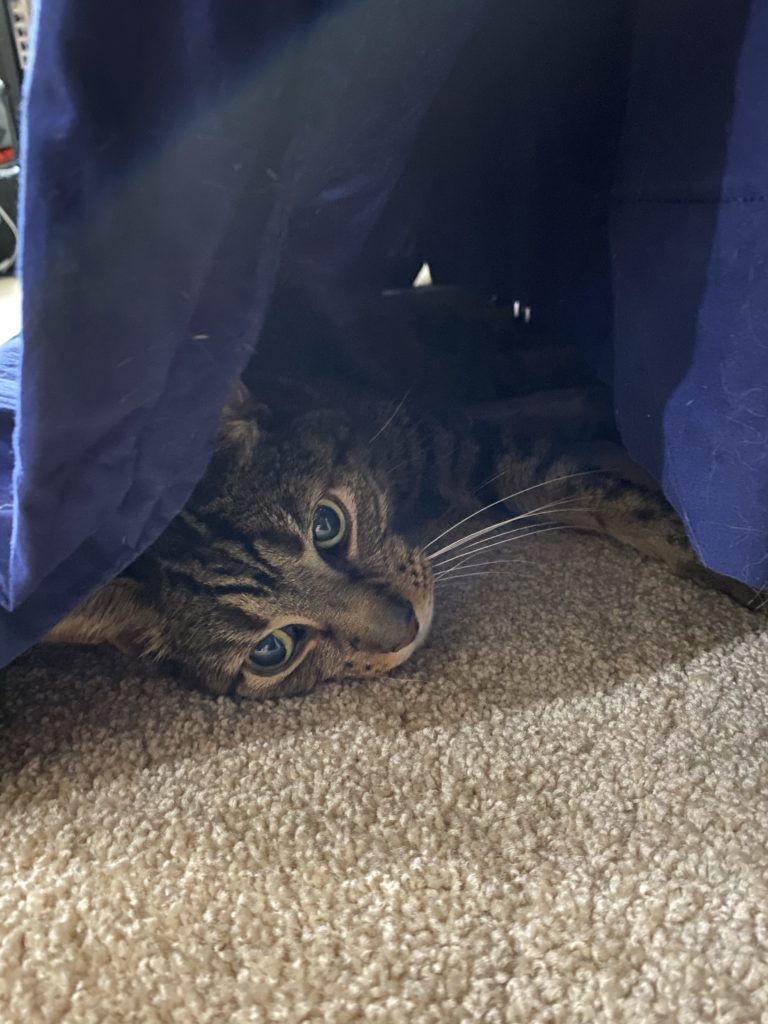
    Nate the Cat
    This is Nate. How could I be mad at that face?

    I got the Herman Miller Aeron. When you look up ergonomics in the dictionary I think that this chair is what comes up in the picture. I have had the good fortune of having one for my desk in the offices I have worked at in the past and missed it terribly. There is no comparison to it, but it is horribly overpriced. I am not putting a link to it here because I do not want to be the reason anyone else gets in trouble for spending this much on a desk chair. I justified my purchase because the Herman Miller warranty is 12 years and with how I burn through chairs, I will come out ahead… right?

    Mouse ergonomic aid

    I used to use a mouse pad with an wrist rest built in, but everything seems to have moved to fabric for the wrist rests nowadays and I severely dislike them. I found the Innovera Softskin Gel Wrist Rest to be just the right thing for me. So much so that I own 3 of them. One is on my desk and the other 2 are in the backpacks that I most frequently travel with to ensure I am never without one. I also keep extra mice in those bags as well because I am far more efficient with a mouse than a trackpad.

    One thing about these wrist rests is that TSA is not quite sure what to make of them. After years of getting questioned by the same TSA agents at my local airport I started pulling it out of my bag and putting it with my cell phone and keys so that I don’t have to deal with the extra screening time, even though I am TSA-Pre. 1 out of 3 times the agent picks it up out of the bin, looks at it, gives it a squeeze, I tell them what it is and they let me go without a fuss. The other 2 times they don’t even bother picking it up. Huge time saver.

    Wellness

    This is a very personal topic area because it is all about what makes & keeps you well, not just physically but mentally also. Getting up and moving around is part of how I keep myself well.

    Pre-COVID I was going to Orangetheory Fitness 3-5 days per week regardless of where I was in the world. I was feeling great, sore but great, and then the pandemic hit. My last class was March 16th, until the weekend before Labor Day but I haven’t been back again… yet.

    I started running outside when COVID hit but I knew that wasn’t sustainable because I live in Texas and during the summer it is almost like running on the surface of the sun if you try to run outside. I invested my company health benefit in a NordicTrack 1950 treadmill and have put 250 miles on it between May and the first week in September.

    I schedule my day around getting to run before family dinner, and it is the best thing for my wellness. I put in my AirPod Pros and just run. The rest of the world disappears for 45 minutes to an hour as I clear my head, get a feeling of accomplishment, and am generally a happier human when I sit down to dinner with Jilly & the Dudes after I run.

    Finding that mental and physical outlet is critical and you won’t find it sitting at your desk. Make time for you, it doesn’t cost anything which is the only time I can say that in these recommendations 🙂

    Wrapping it up

    In this post I talked about ergonomics & wellness both through gear & self care. Remember that you are investing in yourself with all of this and you get out what you put in. That was clichĂŠ I know, but truth is truth.

    On to the last post in this series!

  • Making Work & Life balance – Part 2

    Making Work & Life balance – Part 2

    In part 1 of this series I talked about the upcoming Microsoft Ignite conference and the Table Talk that I will be participating in. I gave my “bona fides” around the evolution of my remote working background. In this part I will to focus on the factors that have helped me find success over the years and achieve an acceptable balance of life & work in the same space.

    When I started my new job with EY and knew that I was going to be home for the rest of 2020 I decided to make sure that my home office was as optimized as humanly possible and allow me to disconnect from work when I should. I have ordered and returned a number of different devices to get things how I have them today and what follows in this post are some of the things I have done & gotten that I have found to be useful.

    blueprints

    Define your working space

    Trying to work from the couch means you never get to relax on the couch. Subconsciously you are in your working space and will shift back to it way too easily.

    17+ years ago when I was a bachelor I realized early on that a one bedroom home situation was not conducive to me ever leaving the work behind and just being a homebody… or a person who could bring dates back to my place because my roommate (work) was ever present. I quickly moved into a place that allowed for me to have a separate work space from living space and never looked back. Even when I was living in a one bedroom home situation I eventually had to define my working space until I was able to get into a multi-bedroom situation.

    I understand that not everyone is able to simply move into the apartment next door with 2 bedrooms at a nominal upcharge on rent the way I was able to back then. I didn’t even have to hire movers. The landlords just let me have a week of overlap and I moved everything with one friend. I was really lucky.

    If you are in a situation where you do not have the ability to expand your home space, clearly define your working space. It can be as simple as sitting in a different chair at the kitchen table than you normally do, but do something to help you distinguish between work time and home life.

    I am fortunate to have a home office that has been clearly defined since we bought our house 5 years ago. The space is 100% mine and it is laid out for work. I used to play games on my home PC in the office, but over time I stopped doing that for the same reasons I listed above. It felt like I was at work rather than at play.

    Optimizing your home workstation

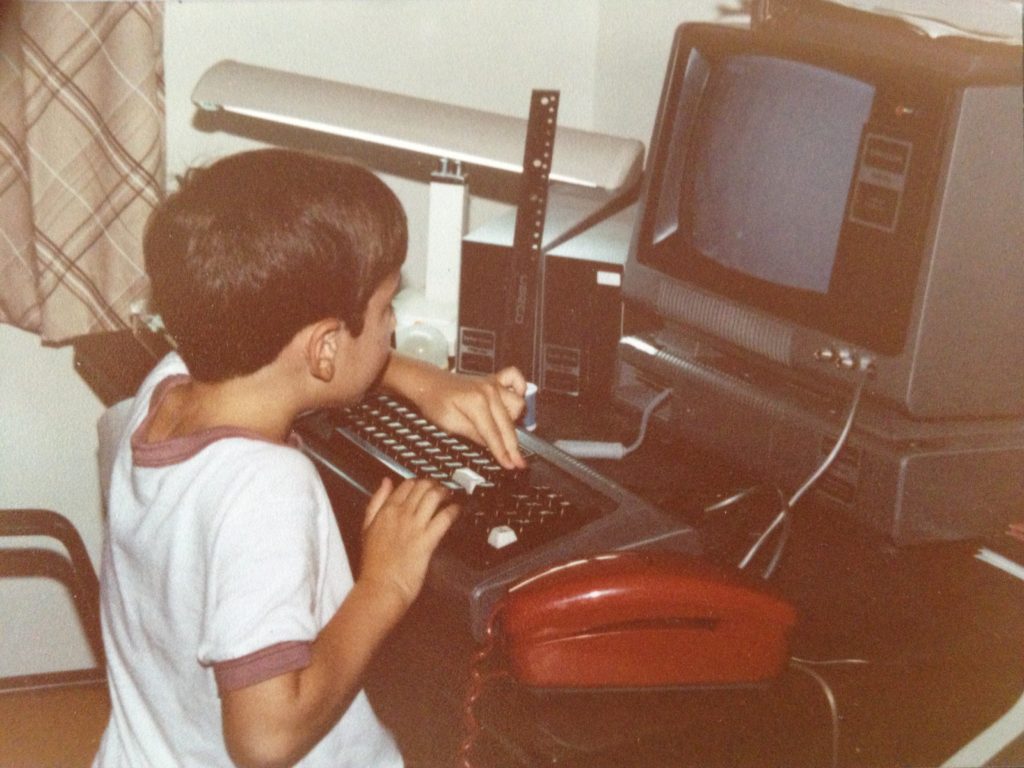
    My first home office
    One of my first workstations

    In my office I have 1 computer. HAHAHA. Who am I kidding? There are anywhere from 4-6 machines in here depending upon what I am doing. If you asked my kids however, they would likely tell you that I only use 1 computer in my office.

    Part of the problem I faced was over complication. As with most things, the KISS method works well for optimizing your home workstation.

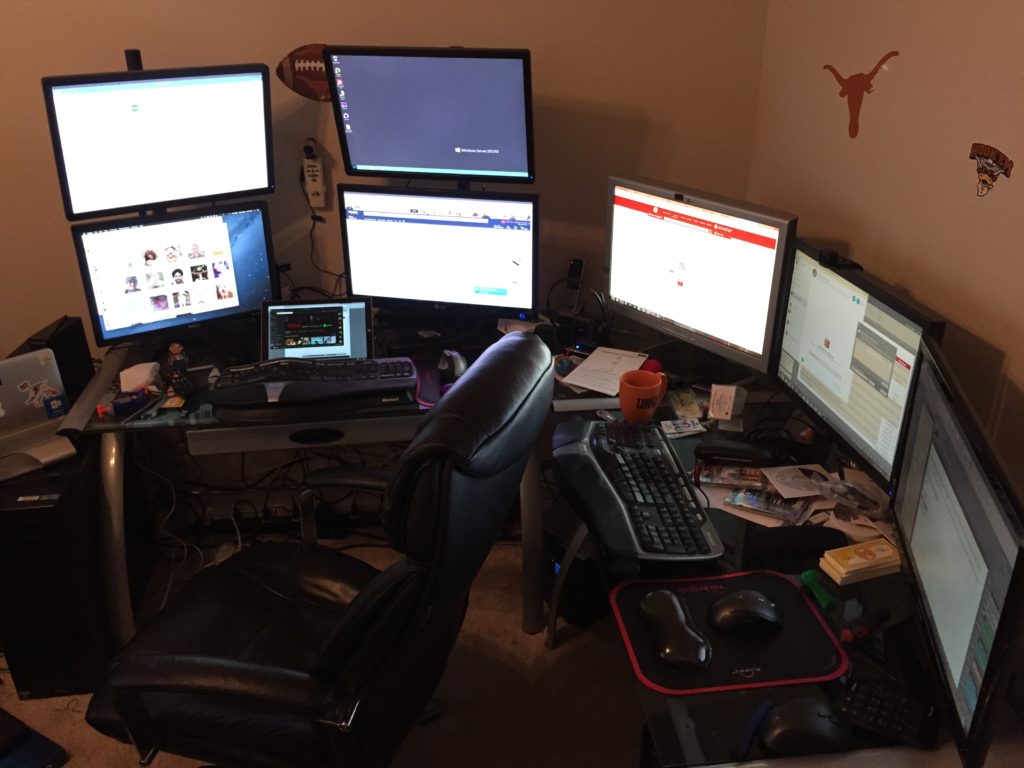
    A few years ago I had a 4 monitor rig (2 monitors stack mounted on pole stands) PLUS 3 horizontal monitors. This is what that looked like:

    My old home office
    forgive the messy desk… its an OLD picture

    I have had multiple machines hooked up to this setup and I always had multiple keyboards and mice I had to switch between. When I was on the road 200 nights and only working in my home office periodically this was acceptable, but not anymore. It was WAY too complicated and overly distracting for a long term scenario.

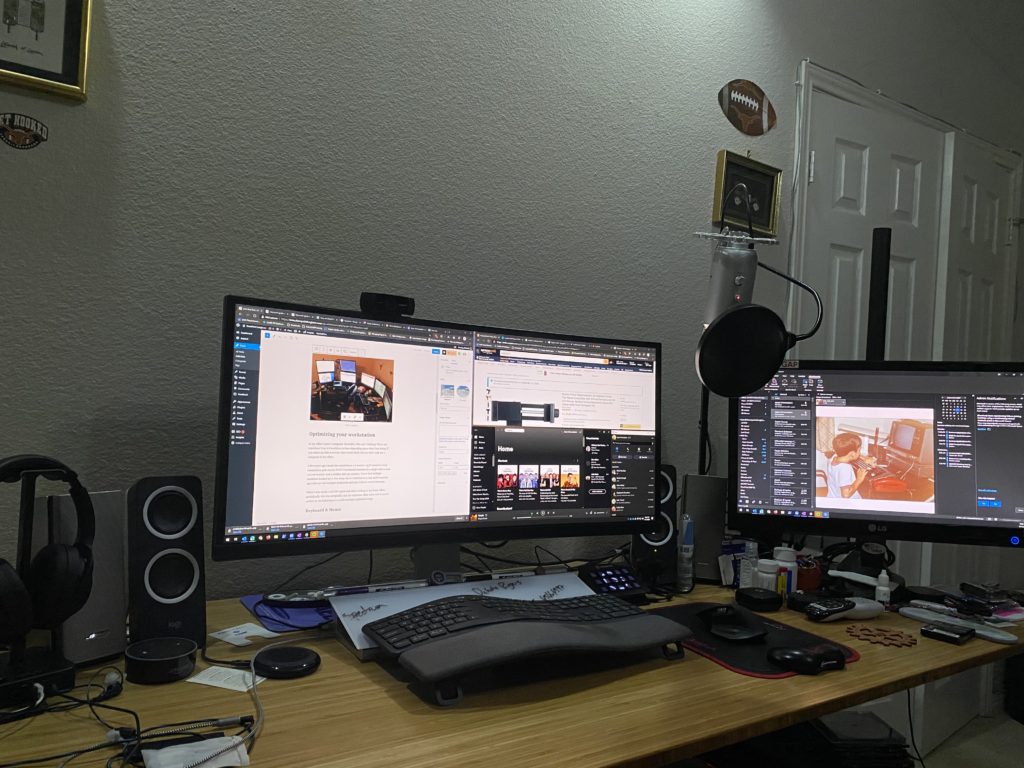
    After some trial & error I settled on the a cleaner, simpler multi-machine setup. Here is what my desk looks like today:

    My home office
    Much less messy now

    This set up has more horsepower than the old one, less light & heat coming from all of those monitors, and allows me to be WAY more focused and effective.

    What comes next is a discussion about the the gear that I decided on for my home workstation. I don’t go into the PC hardware or anything, only the peripherals which is what makes the setup work best for me.

    Keyboard & Mouse

    I landed on the Logitech Ergo K860. Ergonomics is critical for someone who spends 10-16 hours a day in front of a computer. I always used the Microsoft Elite line in the past partly because I really enjoyed the simplicity of the extra function keys and the split keyboard layout. I found that Ergo K860 had the same style to it.

    The mouse I chose is the MX Master 3 (this link is to the Logitech site as it appears that most vendors are out of stock on smile.amazon.com and I don’t want to recommend a used mouse). I’ve long been a Logitech mouse fan and my old MX Master had started to fail me a bit after 5+ years of faithful service.

    Both of these devices leverage the Logitech Unifying receivers, which is key because it allows me to pair the receiver with multiple Logitech devices and then chose which machine I want to be connecting to at the touch of a button. They both have the ability to pair with up to 3 computers, both PC and Mac.

    Sound

    It took me a while to figure out that I was really missing out by only having a single pair of speakers that I would move the input between machines. I was using my personal machine less frequently so it felt like less of a big deal at first, but after 2 months I was fed up.

    I invested in a set of Bose Companion 20s a couple of years back and LOVE them. They are great & I cannot say enough good things about them, so much so that I was willing to move the input between machines for months. However since I did not want to have to wear headphones all the time I decided that I needed more flexibility.

    As a second set of speakers I invested in a set of Logitech Z200s for around $25. They work just fine for listening to Microsoft PGI calls and general conference calling purposes.

    Listening to calls on speakers is nice, and easy when the house is empty. Not so easy when the house is not only my office but the Dudes school & living space. I need to make sure that I am not being distracted by the animals that live in my house (both cats and the Dudes qualify in this) and the general noises that go on when the house is occupied.

    I have had a set of Bose on-ear noise cancelling headphones for years and a second set of Bose in-ear noise cancelling headphones that I highly recommend. They are older models but they still serve me well. My younger Dude took over my on-ear set when school started up and I recently started wearing hearing aids which means that my in-ear set require a shift. I also moved away from my Mac which means that my awesome AirPod Pros do not help with this situation as much.

    That lead me to the new Sony MX4s. I am still tinkering with the Bluetooth settings to get the music audio to sound great, but for my work calls they have FANTASTIC sound quality and are comfortable while wearing my hearing aids.

    Microphone & Camera input

    The Blue Yeti USB mic is what I use for recording the podcast or doing streaming activities. I thought about upgrading and getting a Focusrite Scarlett mic preamp to attach one of my higher quality microphones to my machine, but the Yeti has served me well for the past few years.

    I am a fan of the Logitech C920 web cam. At one point I had one setup on each of my PCs, until my older Dude needed it to have a better audio and video setup for doing Middle School Band remotely this year.

    Once again I was left in a situation where I was shifting USB devices between machines. I decided to search for a solution and got recommended the UGREEN USB 3.0 Sharing Switch from my friend fellow Microsoft Ignite Speaker, Adam Saxton, since he does so much with his setup for Guy In A Cube.

    <INSERT SHAMELESS SESSION PLUG HERE>

    He & I are doing an Ask the Experts session together on Wednesday September 22nd at 7a Central Time… to be fair it is his session, I’m just helping him out. We are also doing an Ignite Social Hour that afternoon at 4:30p Central Time.

    <CLOSE SHAMELESS SESSION PLUG>

    The Sharing Switch was exactly what I needed. This device does a good job with a slow switch operation. By this I mean I use it to move from one PC to the other and don’t try to flip right back. I tried this once and the PCs both got confused and didn’t want to recognize the devices.

    One life hack I have been recommending to people who have asked me for webcam recommendations in the past 6 months is to not use a webcam at all. Instead to use their cell phone as a webcam via Teams or Zoom. Teams handles this extremely well because it allows you to be on multiple devices under the same login.

    It is not slanderous to say that web conferencing software is a resource hog on your PC. It is especially bad when you turn video on. Both of my PCs are high powered systems and the GPU spikes on both of them when I turn video on in Teams, and I always have video on. I find that it personalizes meetings and when people see that I am doing it, they do too. The internal monologue they are having sounds something like “If that funny looking guy can be on video I guess I can too”.

    I spent less than $20 and got myself a mini tripod and a very solid smart phone mount that I use to do video calls on when I am doing resource intensive operations on my PC. Often I am in Teams screen sharing Power BI Desktop from my PC and have audio and video on my iPhone 11 Pro. This allows me to use my AirPod Pro headphones as well. I show up in the call only one time too.

    I just sent this tripod & mount solution I linked to above to my awesome niece. That tripod came with a cell phone mount, but I prefer the one I linked to separately because it felt more sturdy while being very inexpensive.

    Closing

    In this post I shared some details about how I balance my life and separate my work. The key to everything above is finding the comfort zone for you and those around you.

    The core message I am trying to convey is that if you can find a way to simplify your work space you can make more room for your life. That separating is key. When we work where we live it can be difficult to put the work away. If you can simplify and carve out that space, you will have an easier time walking away.

    You don’t have to spend a ton to get there either, I am just a geek and like my toys. There are lots of low cost options that you can find to do everything I have talked about.

    In the next part of this series I will share my experiences with ergonomics and then wrap up the last part of the series with a post about lighting & home automation. I’m going to save the best geeky stuff for last 😉

  • Accepted as Microsoft Regional Director

    Accepted as Microsoft Regional Director

    I am excited to announce that I was recently accepted as a Microsoft Regional Director! While I have been aware of the program for a long time, but I had never thought seriously about pursuing participation until this past year. Stephanie Donahue & I had many discussions when she joined the program and based upon her experience I decided I would accept her offer to nominate me and pursue joining the Regional Director (RD) ranks. I am truly appreciative for her friendship & insights.

    In my last post I shared the update about what has been happening in our world this year and my application for RD was a part of what was going on just at the same time as everything else at that time. To call it chaotic would be an understatement. As I was going through the application process my family asked me “What is the Regional Director Program?”. Happily there is a website, https://rd.microsoft.com, that gives good information about the program.

    Here is the gist from the site:

    The Regional Director Program provides Microsoft leaders with the customer insights and real-world voices it needs to continue empowering developers and IT professionals with the world’s most innovative and impactful tools, services, and solutions.

    Regional Directors act in a non-paid advisory capacity with Microsoft. On an ongoing basis, RDs are asked to participate in scheduled strategic feedback sessions with Microsoft senior leadership teams. Because of their community leadership positions, passion, commitment to technology and business excellence, RDs have a regular outlet where they can express real-time customer and community feedback directly with Microsoft engineers and the senior leadership team, including Satya.

    I am looking forward to engaging in this program. We had our introduction call today and started seeing engagement on the distribution lists tonight. It is a very warm and welcoming group of 205 RDs & Microsoft folks. I look forward to meeting the other RDs and gaining a broader set of insights from those relationships.

    Tomorrow is MVP Renewal day. It is very much a Forrest Gump kinda day because you never know what you are going to get. I have been fortunate to be a part of the program since January 1st, 2014 and I hope to continue for many years to come. The RD program is a completely different thing with it’s own requirements and requirements for renewal, but happily it is a 2 year term so I won’t worry about that for a while. For now I am going to sit back and enjoy the excitement of the new program.

    Thanks to everyone who supported my nomination, all those who continue to help guide me toward new adventures, and my community family that I would do anything for. I am eternally grateful to all of you.

  • Updates from isolation

    Updates from isolation

    When I last wrote an update on my blog I shared news about life changes in the Himmelstein household and described how I was looking forward to making deliberate decisions about our future. Little did I know how the world was going to change between then and now.

    The impact of COVID-19 on our lives has been profound. We were in Houston at the start of the dudes Spring Break at the Rodeo when the Mayor shut it down. We came home to San Antonio and the city started to go on lockdown. The school district shutdown the schools and the dudes did not go back after Spring Break. We celebrated my birthday on the back deck with takeout in a socially distanced way with my Parents but we had decided that we wouldn’t even hug because of the potential risks.

    The next morning I accepted an offer for employment knowing that my on-boarding would be 100% remote and the beginning of this new career path would be a trailblazing experience not only for me as an employee, but for the company as it transitioned from an in-person world to being remote.

    That same night my Bubby passed away. While it wasn’t a shock we had to come to grips with the fact that we were not going to be able to be in person to bury her or mourn her passing in the way that our faith has always prescribed.

    We attended her funeral virtually and were able to gather as a family nightly to take part in services so that we could collectively say the Mourner’s Kaddish. I started my new career with EY the next day as a Senior Manager in Financial Services Tax Technology and Transformation.

    I know life is a crazy ride sometimes, but everything I just told you about happened in the span of 12 days. My on boarding at EY was a blur and I immediately got right to work. It has been just over 3 months now and I am loving what I am doing, architecting Power Platform & Collaboration solutions for our customers. I have an amazing team of people that I get to work with on a day to day basis and we are coming up with amazing ways to modernize traditional business processes using the latest and greatest technology.

    The world has been upside-down for all of 2020, but there have been a few bright spots. The pain that we are feeling from isolation, racism, personal loss, and the toxic politics have just compounded the situation. We strive to make the best of all of things and I am proud that I joined a company that has taken a hard line anti-racism stance. It feels right to be a part of discussions that aren’t comfortable right now and learning how to get comfortable being uncomfortable. Sounds very paradoxical, but it is what is needed right now.

    I spend time listening to people’s experiences, their pain over the systemic problems in our society, and their ideas for how we can try to change the world. I am trying to digest what I hear and ask questions so that I can try to be a part of a solution rather than perpetuating the problem with my own ignorance.

    Before 2020 we never sat down with our Dudes (how I refer to my sons in the plural) and talked about politics, current events, or racial issues. For years I have abhorred the US News media because of their unbalanced story telling and lack of truth. I refused to watch the News on TV because of this, but since the murder of George Floyd & the way that our Mayor & County judge have handled the pandemic updates we are watching daily. We are talking to the Dudes about what has happened and what is happening.

    We are seeing the world change in front of our eyes and struggling daily with how best to handle it. I know that sitting silently and not talking about what is going is not something that I am going to do any longer. I don’t need to hold a picket sign and march to make a difference. I am going to make sure that I raise the next generation of my family to be Dugmaot (role models in hebrew) and good human beings that care for others.

    This brings me to tomorrow. Poppa’s Yartzeit (anniversary of his death) is on Monday, so my father & uncles decided to do an Unveiling for both Bubby & Poppa together. If you are wondering what these things are you can read up on them here: https://www.myjewishlearning.com/article/the-tombstone-the-unveiling-and-visiting-the-grave/. Unfortunately because of COVID-19 we will not be attending in person, but will be able to witness the ceremony remotely. It is a reflective evening as I think back on the lives of my Grandparents.

    One thing that the Dudes always loved about going to visit GG (what they called my Bubby) & Poppa was that during the visit we would eventually go out in the back of the house and Poppa would take the Dudes fishing. They have been asking when we could go fishing for a few months now, knowing that Poppa had sent me home from one of our many visits with fishing gear. We are going to a lake this coming week to do some fishing to honor Poppa & Bubby’s memory. Ok… more Poppa’s memory than Bubby’s because she was never a fan of fishing, but she did love her Fisherman.

    I took Max with me today when I needed to get some of the supplies for the trip and we had a conversation with my Mom. She was going through and watching old reel to reel movies from her parents and we ended up mentioning inheritance. After we got off the phone I explained to Max that I used to tell my Grandparents, as I tell my Parents still to this day, that I want them to spend every last cent they have having adventures and making memories with us. Max looked at me and said “I would rather have a pile of memories as my inheritance than a pile of money any day”.

    Isolation sucks. As you can tell from the above craziness that has been 2020 we have missed out on so very much this year because of the risks associate with the virus. At the end of the day we are doing what we need to in order to keep safe and healthy, but I keep coming back to a comment my Mom always makes to me when I am leaving to go anywhere that I am driving away from her. She always says “Drive safe.” to which I respond “I always do” and she says “it’s not you I’m really worried about, its all the crazies you will be sharing the road with that make me worry.” There are tons of memes out there around life in the time of COVID-19 but the simple statement that I hope people keep in mind that reminds me of that frequent conversation with Mom: If you hate wearing a mask, you are really not going to like the ventilator. If not for yourself, do for those that you share the world with, you self-centered narcissistic asshole. (I may have added that last line myself)

    I recognize that this post is long, rambling, and likely doesn’t make a ton of sense. Let’s see if I can sum it up: Standing by in silence with what is happening in today’s world is failing. Even though we remain in isolation we are still doing what we can to educate ourselves, help others, and bring light into the world. My grandparents left behind a wonderful legacy and I intend to make sure that it lives on to do good in the world for a long time to come.

    That’s all for tonight. Stay safe, stay healthy, and wear a mask.

  • Change is in the air

    Change is in the air

    The dawn of a new decade brings some welcome change to the Himmelstein house. In early December I left Rackspace and the timing couldn’t be better. I had been planning to take time off for the remainder of the year to spend time with Jill & the boys, so this allowed me to do so completely uninterrupted. At any other time of year I would have likely jumped right out and started searching for a new job & not slowed down to enjoy the time off. Given that most companies go on minimal staffing for the last half of December / early January, I decided to hold off until now to begin the quest for my next adventure.

    Rackspace was wonderful for our family for almost 5 years. It brought us back to Texas which has been a terrific life changing move. I got to experience building & managing a global business from the ground up and I got to work with some AMAZING humans & learned more than I ever expected in the process. In addition, while we loved living in New England, being back in Texas has allowed the boys to get to know their Grandparents more than regular Facetime sessions & twice a year visit ever could.  

    During the course of the past 5 years I expanded my skills into new areas from being an Architect & Practice Director for SharePoint to include helping bring multiple Products and managed services to market, educating & driving teams of sellers to put customers in better positions to be successful, leading strategy for customers long term technological & business futures, and leveraging data to make business decisions that chart the course for success in areas that had previously been improperly managed. I will always be grateful for the time I spent at Rackspace.

    The big question for me is: What comes next? I am still figuring that out to be honest. Over the past 5 years, I have been excited to delve into both Power BI and Microsoft 365 from both the management and technical sides. This leaves me with many options to explore as I decide what will feed my passion for this crazy technology world moving forward, and for the first time in my adult life I have the gift of time to do so.

    If you are interested in having a conversation about something that you think I should be considering, please drop me a note and let’s chat!

  • Rackspace and the Microsoft ProServe Partner Network

    I have been a Racker for more than 2 years now and during this time I have found that Rackspace has always strived to maintain an amazing group of Microsoft Partners that do Professional Services (ProServe) work. We have phenomenal partners that we send work to today, however we want to broaden our knowledge base of who is out there doing great things in the Microsoft ProServe space. We no longer have teams that do ProServe work, save some migration efforts, but as their trusted advisors our customers ask us for recommendations of who they turn to in order to get their ProServe work done. This is where my ask of you comes in.

    Are you interested in Rackers mentioning your company as a potential ProServe provider to our customers? If the answer is yes, then we need to know about you. My ask is that you fill out our 2 minute survey to let us know who you are and what is in your sweet spot.

    A couple of caveats:
    1.) This is the first of 2 surveys that we will ask you to fill out. The second will come after you have self identified and we have a reasonable number of responses. Additionally, we will reach out at least annually to validate that you are still pursing the same work as that which you have identified in the survey(s).
    2.) Filling out the survey(s) does not guarantee that you will be referred business. It simply gives us an opportunity to do so and possibly reach out for additional partner conversations.
    3.) We are not selling this list or doing anything nefarious with it. We just want to know who we can send our customers to when they ask for referrals and this is the best way I can think of doing that.
    4.) PLEASE do not reach out to me asking (yelling at me about) why we haven’t done anything with your company yet. I will have no control over who our customers choose to reach out to. Think of this as a Rackspace ProServe Yellow Pages effort.
    5.) Rackspace has a very well defined Partner Network Program which can be found at https://partners.rackspace.com/.  We will be providing some inputs from this effort to the team that runs that program, but this effort is independent of that. We are looking to identify (and keep fresh) a list of referral partners that we can tell our customers about when they ask. Plus the Partner Network is more focused on you help to sell our stuff than us sending you business, so feel free to go do that too! We would love for you to make money for referring us to your customers…

    Closing thoughts, Rackspace loves Community. We went into hibernation for a while but are stirring back it life. Keep an eye out for us… in the meantime, please fill out this form: http://bit.ly/rackspace-msftpartners

  • A new chapter: You can go home again

    8 years ago Jill and I moved from Austin, TX to New England as newlyweds to start our new life together. I had just accepted a new job with Raytheon to work on a technology that was completely foreign to me. I had spent the previous 10 years of my career focused on relatively known commodities, but when I jumped into SharePoint it was a total unknown to me. Little did we know then the amazing road that was ahead of us. Every year has been another milestone:

    2007: married & moved to Massachusetts
    2008: Max was born
    2009: bought our home and moved to New Hampshire
    2010: Sam was born
    2011: Left Raytheon for Sentri
    2012: Sentri acquired KMA
    2013: Polycom acquired Sentri and I left Polycom for Atrion
    2014: Awarded SharePoint MVP
    2015: …

    heading to Texas

    This week I accepted an offer to be the Office 365 Advisory Services Manager for Rackspace , a position that is moving us back home to Texas. I am thrilled to take on a new challenge that is focused completely on Office 365 and couldn’t be happier to be joining the amazing team at Rackspace and get to partner with the ever amazing Jennifer Mason Roth on our Office 365 offering.

    For our family this change is semi-sweet as we truly love our life in New Hampshire, our friends, and the family that we have built over the past 8 years. We have built & strengthened bonds here that will last our lifetime and we will be back regularly to visit. I cannot imagine a morning during baseball season that Sam won’t be waking up and asking “Did the Red Sox win last night?” before he even says good morning to us. He has told me that he is excited that we are moving to where the Texas Longhorns play though. Max is excited to learn to play “Deep in the Heart of Texas” now in addition to “Yankee Doodle”.

    I will miss the amazing people that I have been lucky enough to work with for the past 2 years at Atrion . The team there continues to be strong & growing. I know that they are going to keep doing amazing things for our customers. The opportunities that I have had during my time at Atrion have allowed me to grow both personally & professionally. I look forward to continuing the relationships that I have developed over the past 2 years.

    I will also miss the New England family of SharePoint communities that have embraced me so thoroughly over these past 5 years. I am excited that part of my world at Rackspace includes getting to continue my dedication to the community and I will be back for SPSBoston, helping to run the 5th annual SPSNH, and speaking at SPTechCon during the rest of the year and hopefully for many years to come.

    The next few months are going to be crazy as I dive head first into my new world at Rackspace and we relocate the family to Texas. I will be at Ignite working the Office 365 Developer booth for Microsoft during my first official week at Rackspace. Be sure to stop by and visit me to hear about all of the great stuff that Microsoft is doing to enable Devs in the Office 365 world.

  • MVP Award – My new year’s day suprise

    MVP

    With my vacation coming to a close I opted to spend one last morning with the boys and let Jill sleep in this morning. The day started like any other, Sam (age 3) came into my room and immediately started talking while Max (age 5) was hunkered down in his bed surrounded his books. We went downstairs to start the day and have breakfast, for which they had requested my special chocolate chip pancakes.

    We finished our breakfast and had some fun play time before the pathetic plea for movies kicked in. I’m a sucker and had some web surfing to do so I caved quickly. When Jill came down stairs she found the 3 of us in the middle of the Lorax.

    I popped onto Twitter to see what was doing in the world and saw Marc Anderson‘s tweet stating that he had been renewed for his MVP (and deservedly so). I had been informed that I was under consideration this cycle, but had not put much stock in my chances of being awarded. I was about to tell Jill about Marc and that it looked like I had not gotten it this year when my Outlook dinged and a message titled “Congratulations 2014 Microsoft MVP!” popped up.

    I was speechless. Jill & I have been married almost 7 years and I can count on one hand the number of times that she has seen that happen.

    I am humbled and honored to have been presented with this award. There are too many people for me to name here to whom I owe a debt of thanks & appreciation, so I will simply say thank you to the SharePoint Community as a whole.  I have to give the credit for this award to the people who have given them most, and that is my amazingly supportive wife and kids without-whom I would not be able to do any of the community work that I do.

    I look forward to another great year of blogging, speaking, geeking, and community building. See you all in March at #SPC14 in Las Vegas if not before!

  • #SPSRI Wrap up

    spsRI-2013

    The inaugural #SPSRI is now in the books! When I joined the team putting this event on I had a few goals:

    1.) select speakers who would elevate the event & give the attendees an amazing learning experience

    2.) follow through on Chris’s goal of running the event on a minimal budget & get just enough sponsors to make the budget doable

    3.) provide attendees & speakers with an fun, interactive, lively event that would be worth staying all day

    4.) cross the 100 attendee barrier

    5.) make the SharePint something that people wouldn’t have to leave the venue to participate in

    I am happy to say that most of these goals were met & exceeded. We had a terrfiic panel of speakers (including several first timers), ended up with over 110 people in attendance with more than 70% staying until the closing raffle, and our SharePint was at the restaurant bar directly next to the venue which allowed us to retain the majority of the folks still around at the end of the raffle.

    The one goal that was not quite met was the budget goal. Due to some spending choices we made we ended up needing less money than we originally planned. As a result were able to do far more than we expected for both attendees and speakers, including making some pretty awesome shirts with the logo you see above as well as help to seed next year’s event.

    Thanks to everyone who put in time to make this event the success that it was.

    …oh, and the deck from my session “PowerShell for the Anxious ITPro” can be found here: https://www.slideshare.net/jasonhimmelstein/powershell-for-the-anxious-itpro

  • #SPSNH Call for Speakers Update

    We are now less than a week from closing the Call for Speakers, Wednesday August 7th at 6pm Eastern Time, and we are still looking for speakers to submit.

    Many people have watched the message that I posted about the video we are asking speakers to submit and I have gotten some feedback that this requires some clarification:

    The video is NOT a requirement. We are asking speakers to do it and think that it will make things a ton more fun, but it is absolutely not required.

    Personally, I think that is a quick easy thing to do that any speaker should be able to do in no more than 3 takes using their smart phone or the camera feature in Windows 8 (that’s how I did my video, with a bit of overlay thanks to Camtasia).

    If the video is keeping you from submitting to speak, just submit the form.  You can get the forms on our SPSEvents site.

    Thanks!