I wrote an article back in 2016 about things to think about for Microsoft Ignite in Atlanta. I decided that it is time to refresh that with some things I have learned over the years and specifically some learnings from the past four Microsoft Ignites, many TechEds & SharePoint Conferences, etc.
Wear comfortable shoes
The Orange County Convention Center, affectionately known as the OCCC, is HUGE. You are going walk a ton. In previous years I have averaged around 18k steps per day. Wearing comfortable shoes is CRITICAL. Even though the extended forecast puts the highs in the low 80s (upper 20s in Celsius) with lows in the upper 60s (upper teens in Celsius) personally I will be avoiding sandals and going with well supported tennis shoes all week.
Plan backup sessions
There are several reasons for doing this. Let’s get the ugly one out of the way first: you just want to get out of the session you are in. At some point it’s going to happen. You will be sitting there thinking to yourself “I want to get out of here”. Not every presenter is going to hit home for you. Maybe the topic is too deep, to narrow, not deep enough, or you just don’t like the presenter’s style.
On behalf of all Speaker’s at all conference everywhere: PLEASE GET UP AND GO. If you do it politely & quietly most presenters won’t even notice that you are going. Do not sit there miserable wishing you could leave and wasting your time & money being in a session you are not enjoying. Nobody wants that. You will be unhappy, give the speaker bad session scores, and not get anything out of that time block.
Instead, make sure that you have backup sessions ready to go so that you can jump out of session and go to another.
- The session you wanted to get into is full. You registered. You expected there would be a seat for you as a result, but fire code says they cannot let you in or the theater is just overflowing. This is a very real scenario at this event. One of my theater sessions has over 1500 people registered for it. The theaters are on the expo hall floor and do not hold that many people. Last year they had seating for about 100. If you walk up to one of these sessions late it may be time to jump to a backup session.
- The session you wanted to go to is ¾ of a mile from the last session you just went to. There is no easy way for you to get there without sprinting across the OCCC and the seas of people don’t make that easy.
- Almost all the sessions are being live streamed & recorded. Putting multiple sessions on your calendar can help you later when you want to go find sessions that you want to watch. You are already reading all the session abstracts; you may as well build your backlog to watch later.
Engage in the Hub & show floor
There are 25 rows of vendors. The place is massive. That is before you come to the Community areas. You are going to get lost. Make the most of it. Some of the most fun conversations at vendors booth’s I have had over the years are the ones that I just stumbled on because I was lost or just wandering.
Make sure that you spend plenty of time in the Microsoft zones peppering the Product Teams with questions. That’s why they are there. You aren’t bothering them (most of the time). Booth duty at these events I can tell you that it is BORING when no one is there to talk to. You are on a shift with folks that you may know and like, but after the first hour you know how their kids, dog, wife, cat, bird, in-laws, tomato plant, and PTA President are and you want attendees to talk to. They want to talk to you. Bring your questions.
Be sure to find Community Central, the Global Diversity & Inclusion zone, Experts Connect, the Microsoft Store, and the Hub Hangout. This is where you will find people like you who are dying to talk about that geeky thing you just learned about and need to discuss.
Hydrate
This seems intuitive, but every year I run into people who are dehydrated because they are used to a different pace of life than the conference world. They forget that they are in Florida where it is going to be hot, even though it is supposedly almost winter in this hemisphere. Also, it is going to rain every day around 5p. Bring a small umbrella or expect that you are going to get wet. Don’t worry, it will be warm enough that you will dry out relatively quickly.
Be out-of-office (OOO)
We all put up our “Automatic Reply” or OOO message, but how often do we actually follow through on the “I won’t be looking at email during this period of time” statement? Email is accessible everywhere nowadays, so it is hard to ignore. There are some things that you can do to help yourself avoid this black hole that will pull you away from being present at the event. Here is what I am doing:
Boomerang
This is an awesome add-in for Outlook & Outlook on the Web that allows you to pause email delivery into your inbox while turning on an Auto-Responder so that people know that you aren’t seeing their email. This is REALLY handy for when you want to be in the moment without the constant distractions.
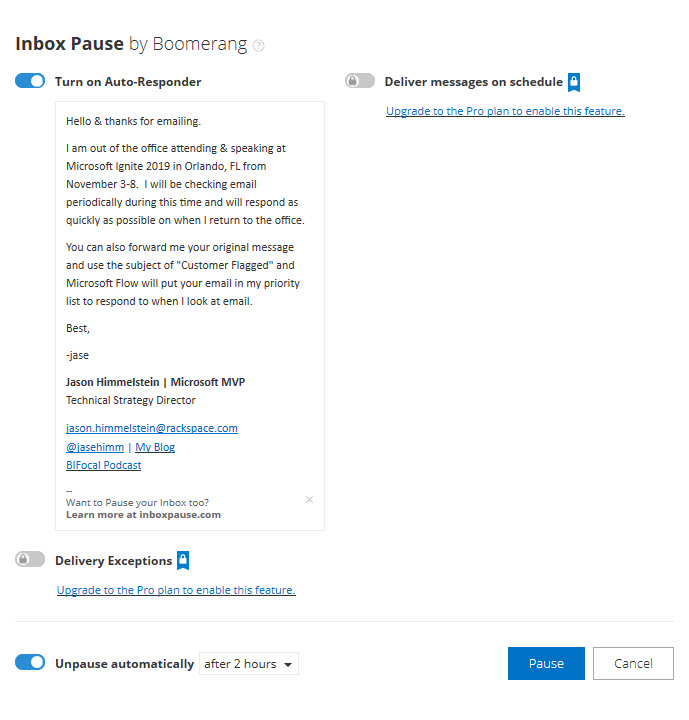
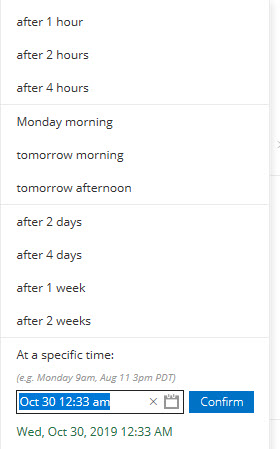
The Pro version, if you are lucky enough to be licensed for it, has many other awesome features but sticking with the pause feature on email delivery it allows you to get emails delivered on a schedule, meaning you could get email at 6a, noon, and 6p so that you are able to disposition your email when it is most convenient for you.
Microsoft Flow
I use this anytime I have Automatic Replies turned on. I believe that the OOO message is a social contract that people should respect. If what they are emailing about is truly important enough to get a response while you are OOO or something that they want to make sure sits at the top of the pile for when you return, they should be willing to take 1 extra step.
I put the following in my OOO messages: “You can also forward me your original message and use the subject of “Customer Flagged” and Microsoft Flow will put your email in my priority list to respond to when I look at my email.”
Here is what the Flow looks like:
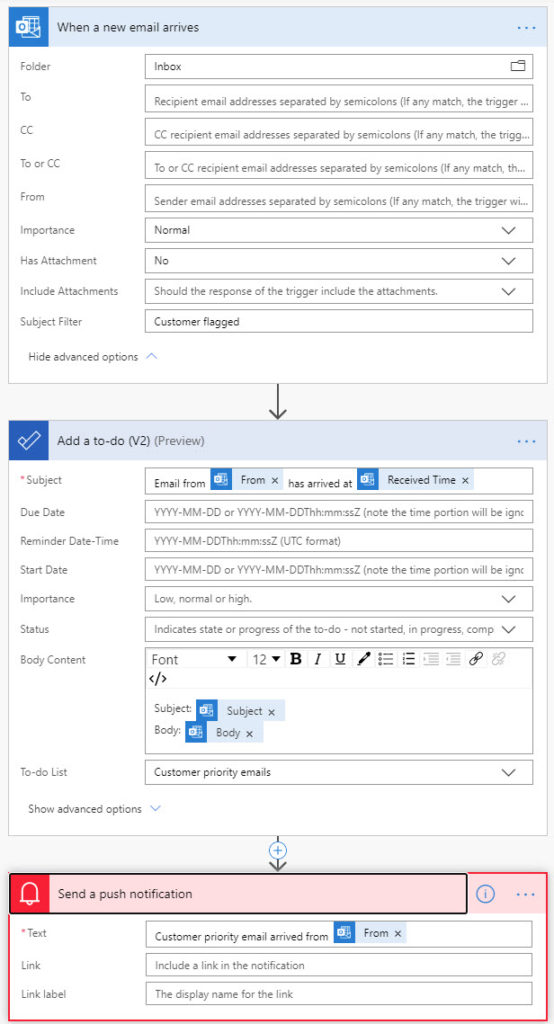
I submitted this as a template to the Flow Gallery, but I don’t know if or when they will publish it. Check for “Out-of-office message enhancement”.
USB battery pack
This is CRITICAL. Even if you are on the newest, brand new phone that has amazing battery power the OCCC is going to suck the life right out of it. The building is made of concrete and reception is generally mediocre, however your phone is trying desperately to please you by delivering as many bars as it can. This results in rapid battery drain. I have never made it a full day at the OCCC, or most other conference centers like it, without needing a charge up. Wall plugs are at a premium, mostly because people didn’t take the last piece of advice and are sitting on their laptops trying to work instead of engaging. Being portable is key. You still have time to pick up one of these wonderful devices. Here is a link to some options: https://smile.amazon.com/s?k=usb+battery+pack. I am personally partial to the Anker & RAVPower brands as they have served me well in the past.
FYI, I don’t profit from the things I have recommended above. Even the Amazon link is just to the generic AmazonSmile search page. If you don’t know about AmazonSmile please go check it out. It is a way that you can help a charity just by doing the shopping you normally do. There is no impact to you.
Conclusion
This was way more longwinded than I was planning, but hopefully it helps you. There are many posts out there like this that will tell you about parties galore and how to have fun at the event. Go read all of them and drain every ounce of good from the event that you can. It is a crazy, fun, exhausting, massive event.
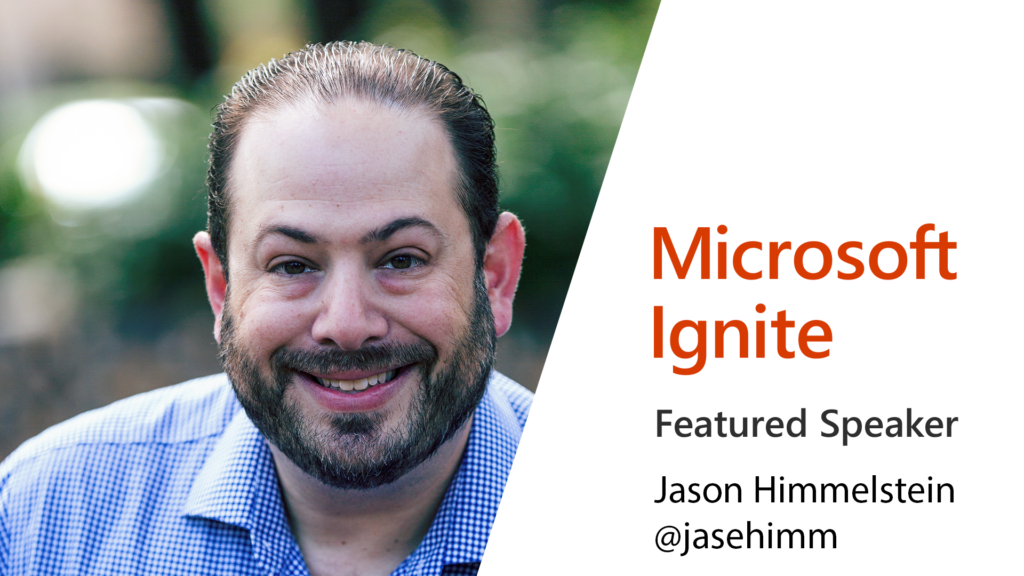
If you are interested in seeing me at Ignite please check out my profile on the Ignite Speaker Directory at https://myignite.techcommunity.microsoft.com/speaker/564517.
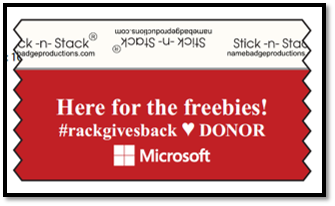
Feel free to stop by the Rackspace booth #1631 where the “Rack Gives Back” committee is contributing $1 to the American Heart Association, up to $3000 for the week, for everyone scanned at the Rackspace booth. When you get scanned you will get a badge ribbon like this:
I will be hanging around the booth some, but if you don’t see me there just the Rackers at the booth as they will know how to track me down.
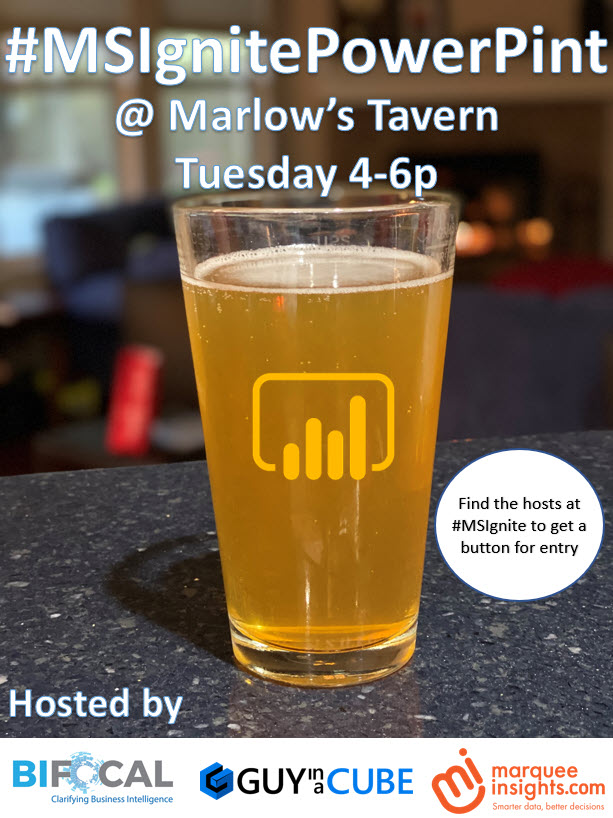
One last thing that we just announced tonight: John White & I are hosting a #MSIgnitePowerPint along with Treb Gatte from Marquee Insights & Adam Saxton from Guy in a Cube at Marlow’s Tavern on Tuesday from 4-6p. In order to attend you need to grab a pin from one of us, so find me at the event!